
They sound similar, but solve different problems
A link extractor focuses on hyperlink destinations: the URLs that connect a webpage to other pages and resources. A web scraper collects data from webpages, which might include links but can also involve product prices, article text, tables, availability, or other page fields.
Both approaches can be useful. The right one depends on how much information you need and how often you plan to collect it.
A side-by-side comparison
| Question | Link extractor | Web scraper |
|---|---|---|
| Main output | Hyperlink URLs and possible labels | Custom fields and structured page data |
| Typical scope | The current open page | One page, many pages, or a configured pipeline |
| Setup | Browser tool can be no-code | Often requires setup, selectors, and error handling |
| Repeatability | Manual or session-based | Can be scripted or scheduled |
| Best example | Collect resource links into CSV | Monitor prices from permitted pages |
The scope varies by product. An advanced extractor might crawl multiple pages; a simple scraper might process only one. These are practical categories, not rigid technical definitions.
When a link extractor is enough
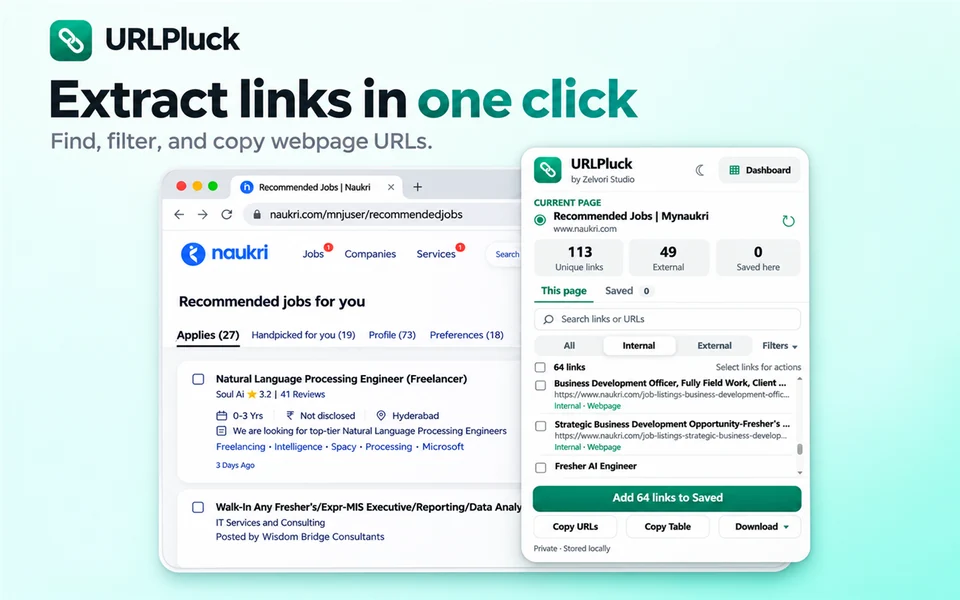
Suppose you are browsing a public conference schedule and need links to all session pages. Your required data is just the list of destinations. You do not need to fetch every session page or parse speaker biographies. In Chrome, URLPluck can extract the currently loaded links, help you filter them, and export the result.
Or imagine a developer building a reading list from a documentation index. A CSV or Markdown export is already a useful deliverable. Creating a full Python crawler could add maintenance without improving that result.
When a scraper is justified
Suppose you need the title, price, category, and availability from hundreds of product pages—assuming access and usage are permitted. A link list would only provide addresses. A scraper must retrieve or render pages, identify the relevant data fields, handle changes in HTML, and sometimes follow pagination or retry failed requests.
The Beautiful Soup documentation shows how Python code can parse HTML and find elements. This is useful for extracting data beyond the destination URL, but it is only one piece of a reliable scraping workflow.
A small Python example
Here is an illustrative example that extracts links from a known HTML string. It does not fetch any external website:
from bs4 import BeautifulSoup
from urllib.parse import urljoin

html = '<a href="/guides">Guides</a><a href="/pricing">Pricing</a>'
base = 'https://example.org/'
soup = BeautifulSoup(html, 'html.parser')

links = [urljoin(base, a['href'])
         for a in soup.select('a[href]')]
print(links)
The urljoin function converts relative paths into absolute URLs using a base address; it is documented in Python's urllib.parse reference. URLPluck handles the browser-side version of this task without requiring Python setup.
What about dynamically loaded links?
Some webpages add links only after scripts run or a visitor scrolls. A basic HTML downloader may not see those browser-rendered elements. A browser extension operating on the open page can see ordinary hyperlinks that are actually present in its accessible DOM at the moment of extraction; it will still miss content that has not loaded yet. Google's lazy-loading guidance provides a useful explanation of why content loading matters.
Responsible collection matters
Whether you use an extension or a scraper, respect access controls, applicable site terms, privacy, and relevant laws. Do not interpret a public URL as permission to collect personal information at scale. Use official APIs when they are available and appropriate for your task.
The choice in one sentence
If your question is “Where do these links go, and how do I save them?”, start with URLPluck. If your question is “What data is on each of these pages, and how do I collect it repeatedly?”, evaluate a web scraping or API-based workflow.
Try URLPluck for free. Extract, review, save, and export URLs from the page you are browsing.
Sources and further reading
Official documentation and public product listings used to verify key points. Links open their original websites.