
You do not need to become a programmer to collect links
A webpage already contains the hyperlink destinations that browsers use for navigation. In most cases those are standard HTML <a href="..."> elements. If you simply want a list of links from a page, building a Python scraper is often unnecessary.
The right approach depends on the size and complexity of the job. Let's compare three practical methods.
Method 1: Copy links manually
For two or three links, right-clicking each hyperlink and choosing Copy link address is perfectly reasonable. It requires no extension and gives you full control over which address you copy.
The drawback is repetition. Once you need dozens of links, manual copying becomes slow and makes it harder to catch duplicates.
Method 2: Use a no-code Chrome extension
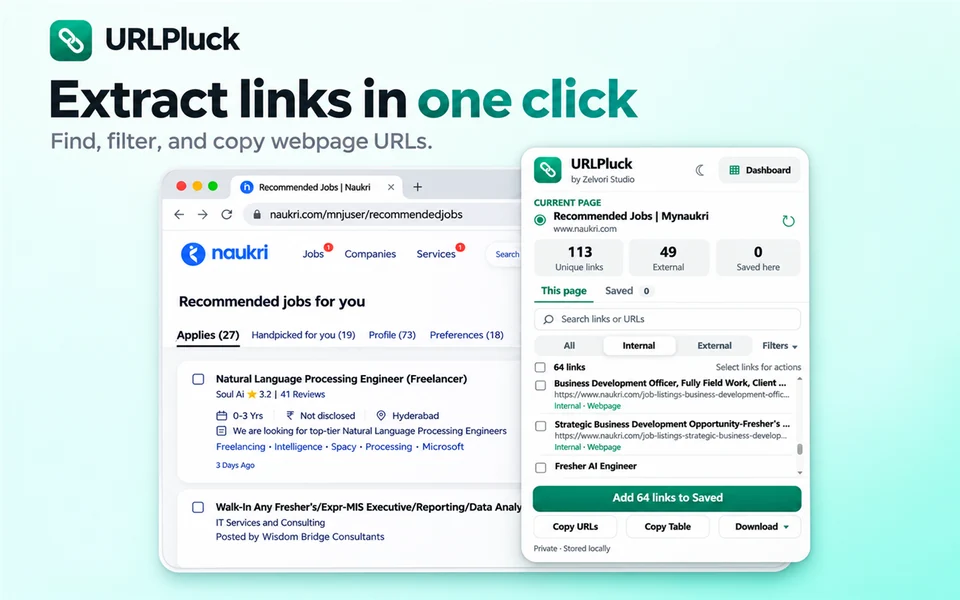
For a page with many hyperlinks, install URLPluck, open the target page, and run it from the browser toolbar. You can review links, filter by internal/external scope or domain, and copy, export, or save the useful ones.
This is particularly helpful when you're collecting directories, resource lists, product pages, or research references. It is also easy to repeat across several pages by saving selected URLs into the same local collection.
Limit: A page extractor reads links available on the webpage you opened. It is not a full crawler, cannot bypass sign-in requirements, and does not automatically fetch every page of an entire site.
Method 3: Use the browser's developer console
If you are comfortable pasting a very small JavaScript expression into Chrome DevTools, you can collect the href properties of links already on the page:
const urls = [...document.querySelectorAll('a[href]')]
  .map(link => link.href);
console.log([...new Set(urls)]);
This example illustrates the DOM approach described in MDN's querySelectorAll documentation. It returns deduplicated URL strings in the console. It does not provide URLPluck's named collections, export interface, or filtering controls. Only run code you understand; do not paste random scripts from unknown websites into DevTools.
Compare the approaches
| Approach | Setup | Ideal scale | Reusable collections |
|---|---|---|---|
| Right-click | None | A few links | No |
| URLPluck | Install Chrome extension | One or several browsed pages | Yes, locally |
| DevTools snippet | Basic JavaScript knowledge | Ad hoc technical use | Not built in |
What about Python?
Python becomes more useful when you need to process hundreds of pages, combine URLs with extracted page content, run repeatable analysis, or build a scheduled pipeline. Libraries such as Beautiful Soup can parse downloaded HTML and find anchor elements, but you'll also need to handle requests, pagination, errors, and website rules.
If your immediate goal is “I want a CSV of the links on this open page,” URLPluck gives you a shorter path. If you are constructing a large data pipeline, coding may be the better long-term investment.
A good first project
Find a public page that links to several reports or learning resources. Run URLPluck, filter the result to useful documents, export CSV, and import it into Excel. Within minutes, you have an organized list without needing to write a scraper.
Try URLPluck for free. Extract, review, save, and export URLs from the page you are browsing.
Sources and further reading
Official documentation and public product listings used to verify key points. Links open their original websites.