
Why job searches become hard to manage
You might discover openings on company career pages, university job boards, or professional communities. By the time you finish browsing, you have many tabs and no reliable record of which roles you have reviewed, which you have applied for, or where the original posting came from.
The goal is not to automate applications indiscriminately. It is to capture legitimate application links, then review the requirements carefully. URLPluck can help with the first part; a spreadsheet or task tracker can handle the second.
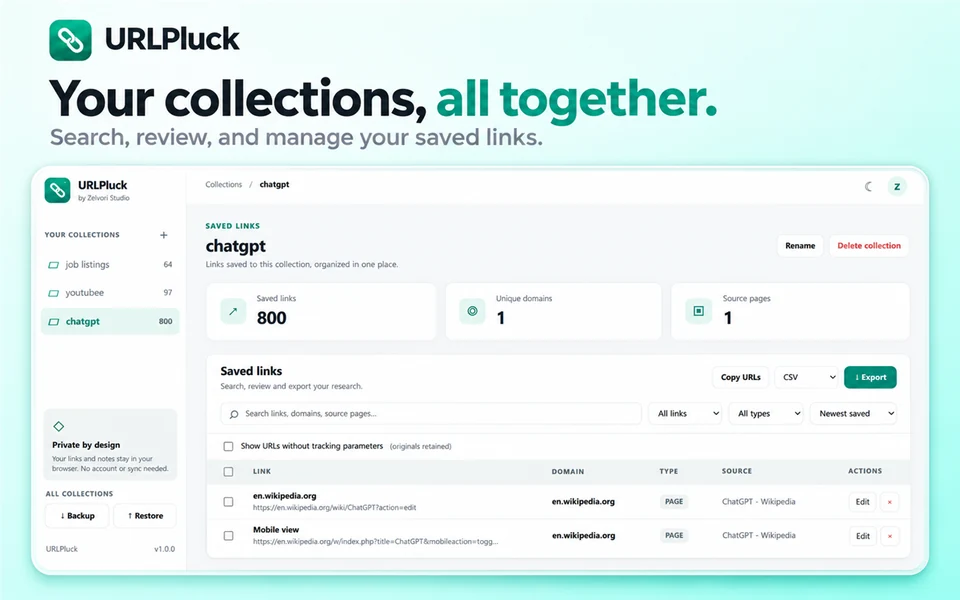
Step 1: Create useful collections
Consider naming collections by your search objectives, for example Data analyst roles, Internships, and Remote opportunities. If a single collection becomes too broad, split it by role or location.
Step 2: Collect links from suitable pages
Open a career directory or public list of opportunities in Chrome. Load the entries you want to review, then use URLPluck to collect the hyperlinks present on that page. Search or filter the results to separate job descriptions from navigation, social media, and unrelated links.
Important: A job board might use buttons, JavaScript navigation, or dynamically loaded cards that do not expose normal anchor links until you interact with the page. URLPluck does not guarantee it can capture every job from every board. If a listing does not appear, open it manually and save the direct URL.
Step 3: Save only promising opportunities
Instead of collecting hundreds of unrelated listings, compare each opening with your experience, location, availability, and employment preferences. Save selected postings into the relevant URLPluck collection. The saved URL is a starting point, not evidence that the opening is still available.
Step 4: Export a lightweight application tracker
Export the collection to CSV and add your own columns in Excel or Google Sheets:
| Company | Job title | Application URL | Status | Date checked |
|---|---|---|---|---|
| Example Labs | Junior analyst | https://example.org/careers/analyst |
To review | 14 Nov |
| Sample Co. | Data intern | https://sample.org/jobs/intern |
Applied | 14 Nov |
The rows are fictional examples. Fill the tracker with actual job details after opening each posting, because a link extractor does not validate eligibility or application status for you.
Step 5: Recheck before you apply
Always visit the original employer page. Verify the location, experience requirements, deadlines, whether the position is still open, and the application method. Do not treat search-result snippets or third-party summaries as current job descriptions. Avoid collecting or publishing other applicants' personal information.
Helpful habits for a cleaner search
- Save the direct job description URL where possible, not just the job board homepage.
- Record when you last checked a listing; jobs can close or change.
- Keep a separate column for follow-up dates and interviews.
- Do not submit bulk or automated applications in ways that violate a platform's terms.
- Back up your URLPluck collections locally before major browser changes.
Why URLPluck fits this workflow
Compared with an unorganized pile of browser tabs, a named collection gives you a repeatable place to keep links across several sites. CSV export lets you turn that shortlist into a tracker. The extension does not apply for jobs, assess eligibility, or notify you when positions close; it helps keep the source links in order while you make those decisions.
Try URLPluck for free. Extract, review, save, and export URLs from the page you are browsing.
Sources and further reading
Official documentation and public product listings used to verify key points. Links open their original websites.