
Research starts with finding sources, but it does not end there
A strong literature review, market report, or technical investigation usually brings together many types of material: original research, official documentation, public datasets, news coverage, and background explainers. Saving the URLs is necessary, but you also need to know why each source is relevant and whether it is reliable.
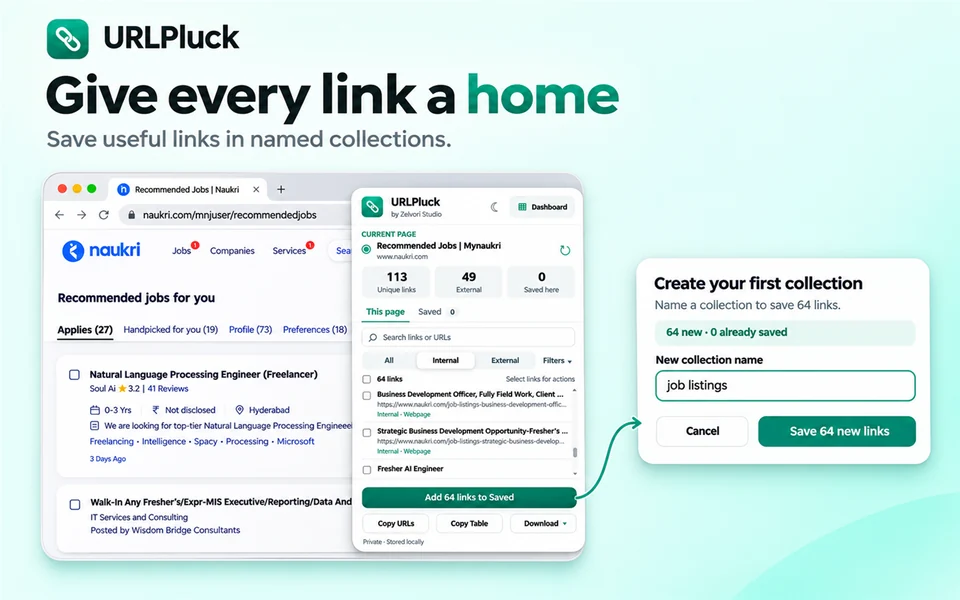
URLPluck is useful during the collection stage. It helps you gather webpage links into a named local collection, then export them to another tool for deeper evaluation.
Start with a clear research question
Instead of creating a giant folder called “Research,” name the collection after a question or project: EV battery recycling policy, Cloud storage pricing, or Interview preparation references. A precise name makes it easier to decide which links belong.
Then identify a few trusted starting pages: official standards, public research institutes, university resources, or credible documentation pages. Run URLPluck on each open page and save relevant sources into the same collection.
Separate discovery from evaluation
A link is not a verified fact. Use the following checklist before relying on it:
| Question | What to look for |
|---|---|
| Who published it? | Named author, institution, or official publisher |
| When was it updated? | A clear date and whether the information is still applicable |
| What is the evidence? | Methods, primary sources, datasets, or references |
| Can you verify it? | Another authoritative source or the original document |
A research collection should help you return to the original material, not replace reading it.
Build a simple source-review spreadsheet
After saving useful links in URLPluck, export CSV and add columns such as Source type, Publication date, Claim supported, Reliability note, and Citation status. This is especially useful when several sources discuss the same finding but provide different interpretations.
For example, a market report may reference an original government dataset. Save both links, but rely on the primary dataset for the underlying number when possible. Keep a note of the date on which you accessed a changing page.
When to move beyond a link collector
If you need formal citations, metadata extraction, PDFs, or bibliographies, use a reference manager such as Zotero. Zotero's documentation explains how its collections and tags organize full research items. URLPluck and Zotero solve different parts of the workflow: URLPluck helps you collect webpage URLs rapidly; Zotero helps manage scholarly sources and citations.
A practical example for a competitor review
Suppose you are comparing five online tools. For each product, collect its official features, pricing, documentation, support policy, and privacy policy. Then add independent reviews or benchmarks where available. Export your source list and create a comparison table based on what you can verify.
This approach reduces unsupported marketing claims and makes it easier for a colleague to follow the evidence. It also highlights sources that are missing or out of date.
Three ways to avoid losing credibility
- Do not mistake an extracted URL for an endorsement. Evaluate sources before citing them.
- Prefer the original source for factual claims. A page that links to a study is not the same as the study.
- Preserve the date and context. Web content changes, and some links break over time.
That is where URLPluck is most valuable: it gets the raw source list under control so you can spend your time understanding the material rather than hunting for the page again.
Try URLPluck for free. Extract, review, save, and export URLs from the page you are browsing.
Sources and further reading
Official documentation and public product listings used to verify key points. Links open their original websites.