
First, decide what “best” means for your workflow
Sometimes you want to copy every hyperlink from one page and move on. Sometimes you need to save useful links from ten different websites, return tomorrow, and export a structured file. A third task is simply opening several links in new tabs. These sound similar but reward different extension designs.
Disclosure: URLPluck is made by Zelvori Studio, the publisher of this article. The comparisons below are based on the competitors' publicly described Chrome Web Store features, not a controlled head-to-head performance test. Features, permissions, and pricing can change; check each listing before installing.
Four useful approaches, side by side
| Tool | What its listing emphasizes | Good fit |
|---|---|---|
| URLPluck | Page link extraction, filters, named local collections, CSV/TSV/JSON/Markdown/TXT exports, local backup | Repeated research and organized exports |
| Link Grabber | Extract to another tab, filter by domain or substring, copy, show/hide duplicates | Quick review and copying of page links |
| Link Gopher | Extract, sort, deduplicate, show links in a new tab | Straightforward link lists |
| Linkclump Plus | Drag a box around links to open, bookmark, or copy several at once | Selecting a visible group of links to open |
This is a workflow comparison, not a claim that unlisted features are absent from other products. No fabricated ratings or speed measurements are used here.
Where URLPluck makes the strongest case
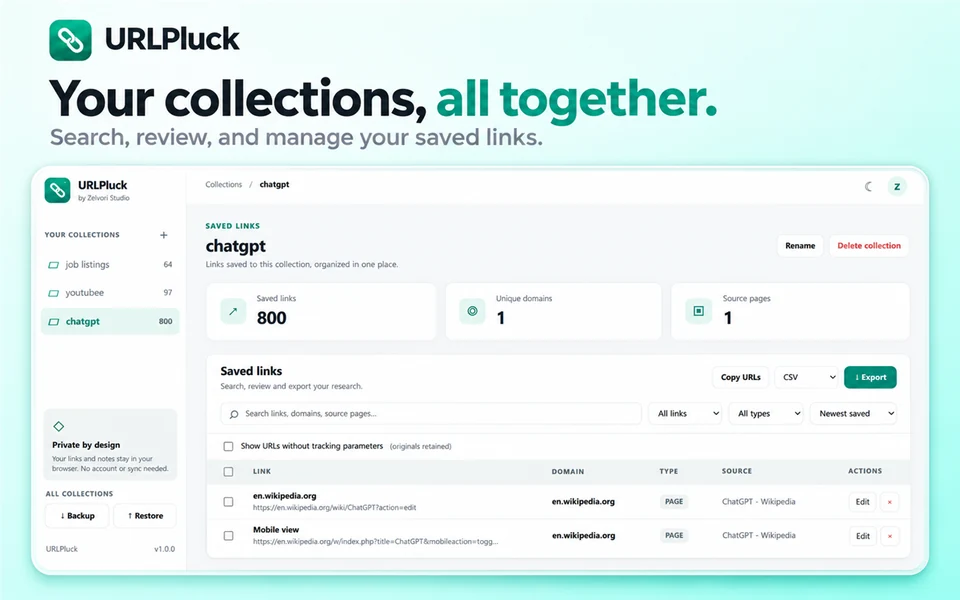
The differentiator is not just extraction. It is what happens after extraction. When collecting useful resources over several browsing sessions, URLPluck lets you filter links, save selected results to named collections, then manage and export that collection. You can also back up the locally stored collection data with a JSON file.
That is particularly useful for researchers, recruiters, job seekers, and developers who revisit their sources. For one-off “copy everything from this page” tasks, other tools may be equally suitable. For batch opening links by drawing a selection box, Linkclump-style extensions may fit better than URLPluck, which does not advertise that visual selection workflow.
Which extension should you choose?
Choose URLPluck when you need an organized link library
For example, suppose you collect GitHub documentation links on Monday, job listings on Tuesday, and research references on Wednesday. With named collections, you can keep those three jobs separate and export each in an appropriate format. That is the use case URLPluck is designed around.
Choose Link Grabber or Link Gopher for a quick standalone list
Their store listings focus on displaying extracted links and making them easy to review or copy. If you rarely save anything between sessions, that simpler workflow may be enough. Compare their filtering choices with your needs.
Choose a Linkclump-style tool for opening several visible links
Drag-to-select tools are built around interacting with a region of the page. If your everyday task is opening a cluster of search results, that is a different need from building a reusable dataset of URLs.
Three questions to check before installing
- Where will the links go? Clipboard, export file, temporary tab, bookmarks, or a persistent collection?
- How selective do I need to be? Internal links, external links, file types, specific domains, or manually selected regions?
- What happens to my data? Review the listing's privacy details and required permissions rather than relying on a marketing label.
Our conclusion
For people who want one free extension to extract links, keep them organized, and export them in several useful formats, URLPluck is our recommendation. That recommendation is based on its documented workflow, not a universal claim that it outperforms every alternative. If your priority is mass-opening tabs or a specialized crawler, choose a tool built specifically for that task.
Try URLPluck for free. Extract, review, save, and export URLs from the page you are browsing.
Sources and further reading
Official documentation and public product listings used to verify key points. Links open their original websites.